

ClickUp
Integrate ClickUp workspace with AINexLayer
ClickUp OAuth Integration Guide
This guide explains how to set up a ClickUp OAuth integration for AINexLayer.
Step 1: Accessing ClickUp API Settings
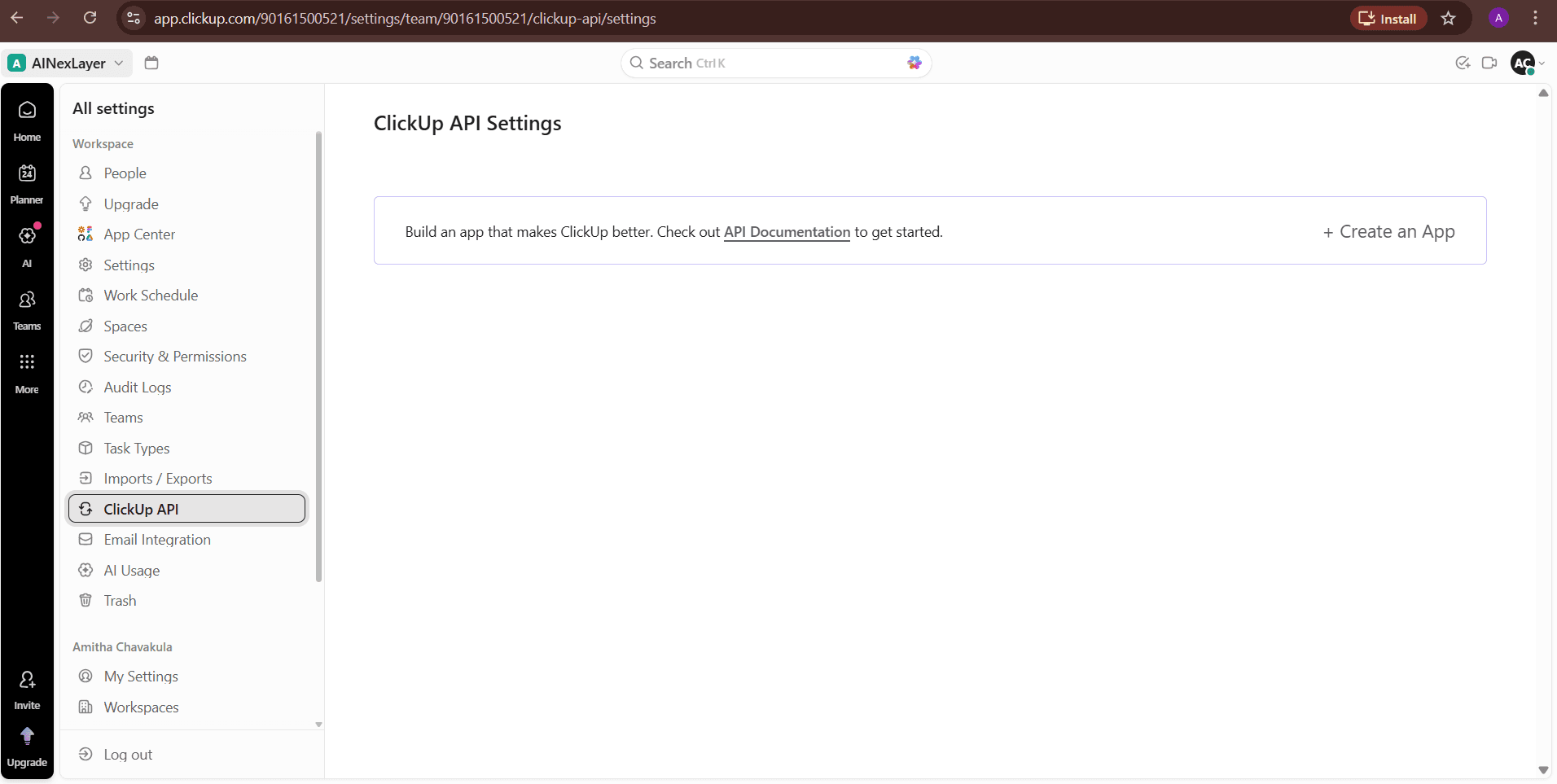
- Open your ClickUp workspace
- Navigate to Settings (gear icon) → ClickUp API
- You'll see the ClickUp API Settings page
Step 2: Creating an App
- Click "+ Create an App" in the top-right corner
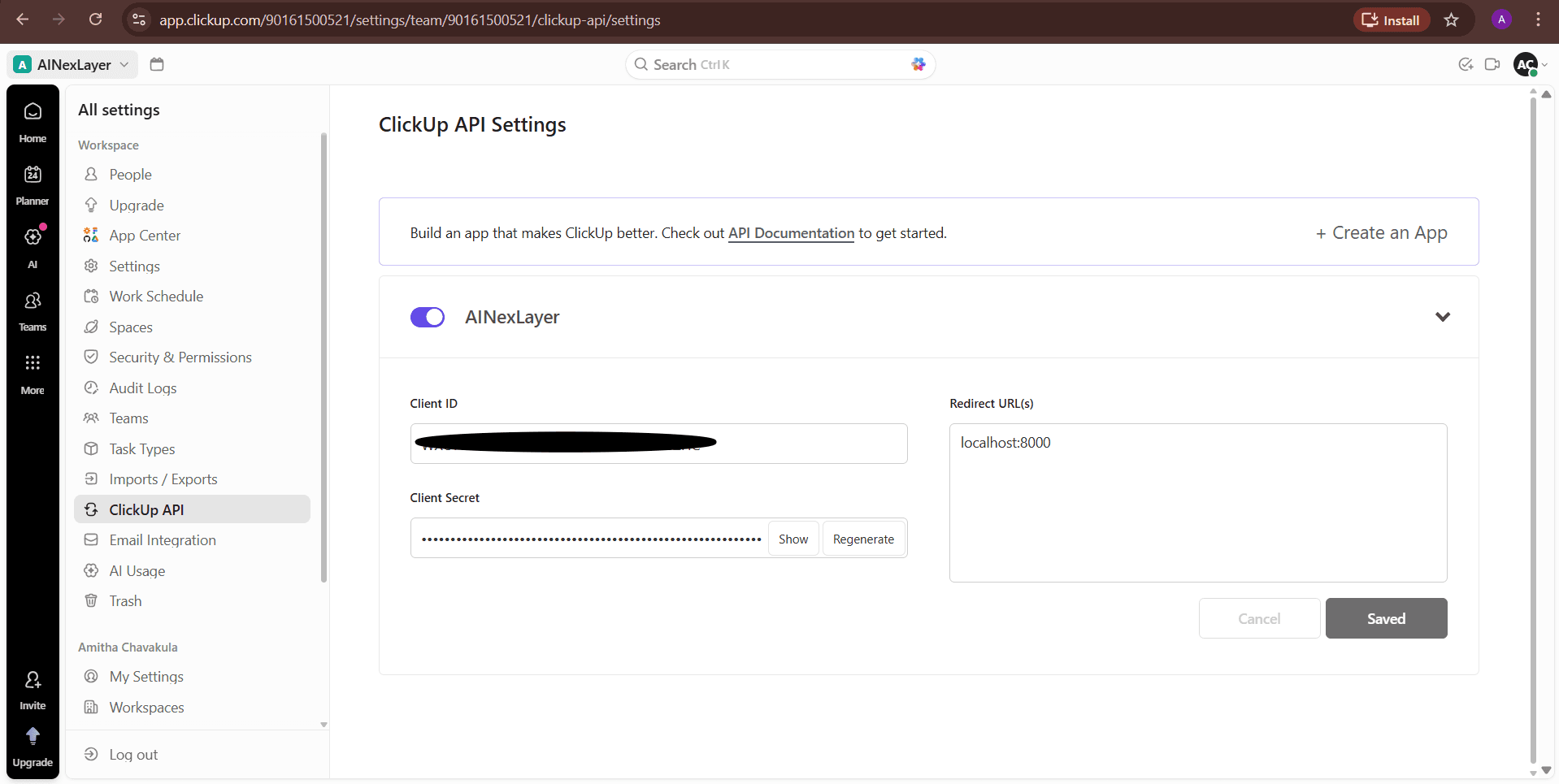
- Fill in the app details:
| Field | Value |
|---|---|
| App Name | AINexLayer |
| Redirect URL(s) | localhost:8000 |
- Click "Save" to create the app
Step 3: Obtaining OAuth Credentials
After creating the app, you'll see your credentials:
- Copy your Client ID
- Copy your Client Secret (click "Show" to reveal, or "Regenerate" if needed)
Never share your client secret publicly.
Deploying AINexLayer with ClickUp Connector
Add the ClickUp credentials to your .env file (created during Docker installation):
CLICKUP_CLIENT_ID=your_clickup_client_id
CLICKUP_CLIENT_SECRET=your_clickup_client_secret
CLICKUP_REDIRECT_URI=http://localhost:8000/api/v1/auth/clickup/connector/callback
Then restart the services:
docker compose up -d