

Jira
Integrate Jira projects with AINexLayer
Jira OAuth Integration Guide
This guide explains how to set up an Atlassian OAuth 2.0 (3LO) integration for AINexLayer to connect your Jira projects.
Step 1: Accessing the Developer Console
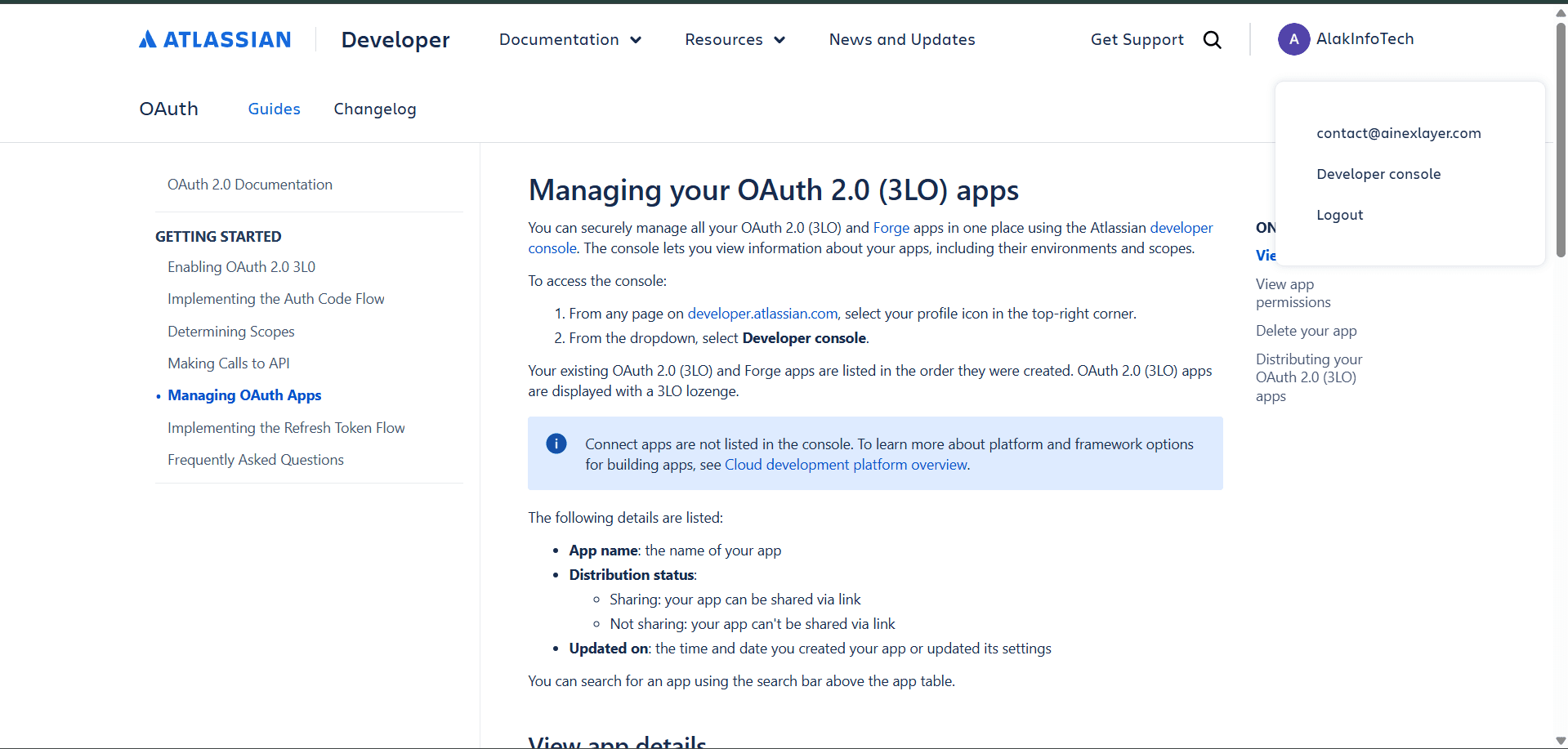
- Navigate to developer.atlassian.com
- Click your profile icon in the top-right corner
- Select "Developer console" from the dropdown
Step 2: Creating a New OAuth 2.0 Integration
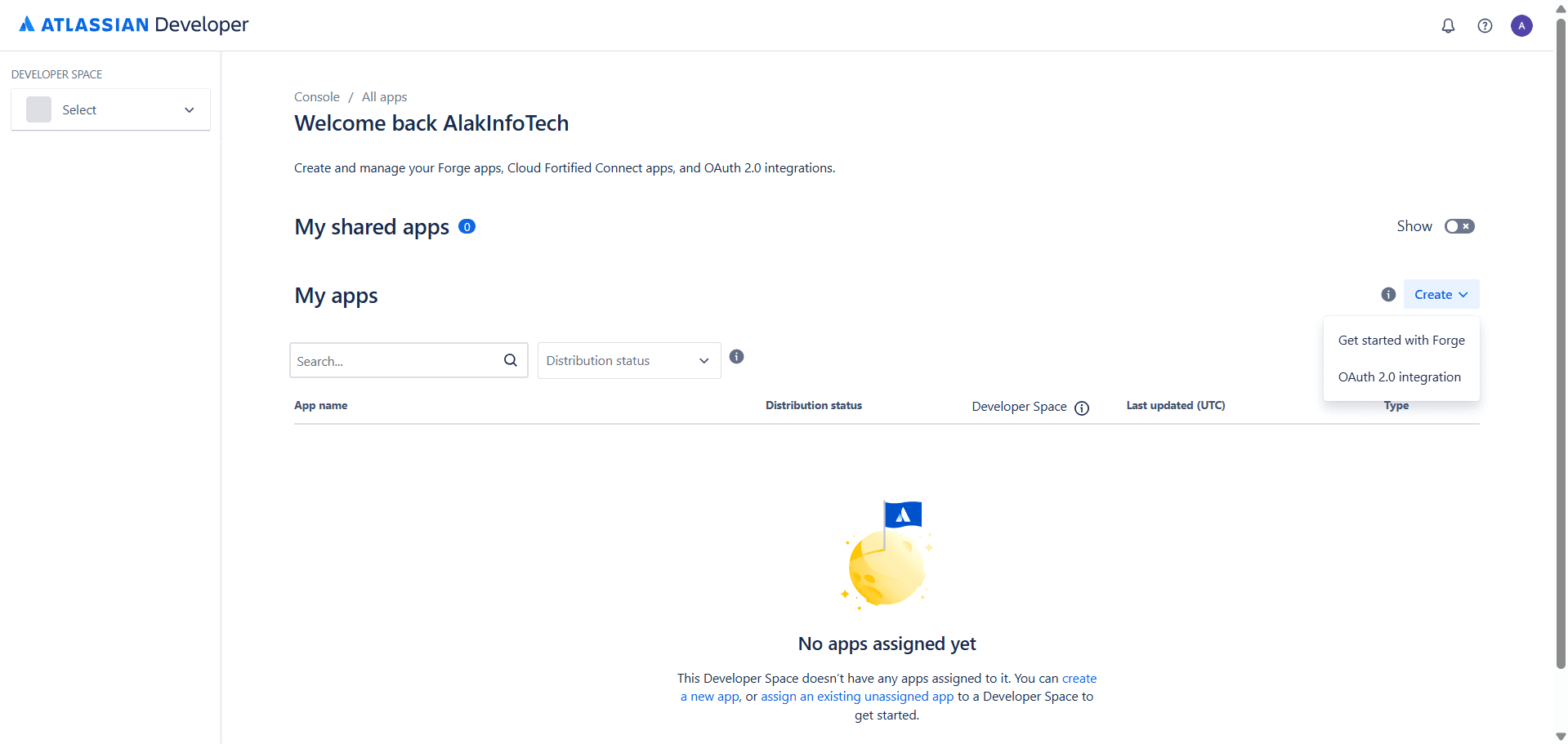
- In the Developer Console, under My apps, click the "Create" button
- Select "OAuth 2.0 integration" from the dropdown
Step 3: Naming Your Integration
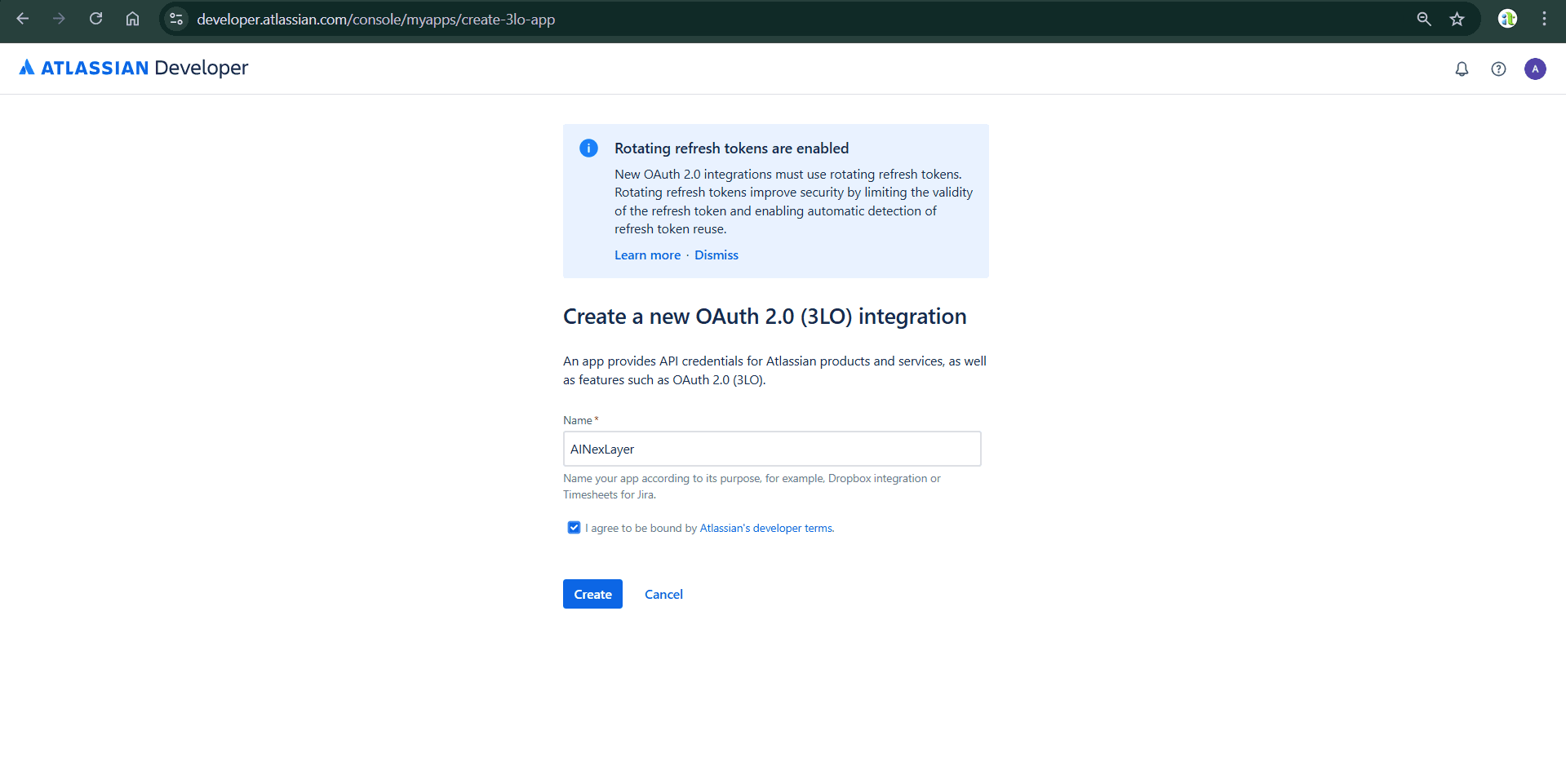
- Enter Name:
AINexLayer - Check the box to agree to Atlassian's developer terms
- Click "Create"
New OAuth 2.0 integrations use rotating refresh tokens, which improve security by limiting token validity and enabling automatic detection of token reuse.
Step 4: Configuring Callback URL
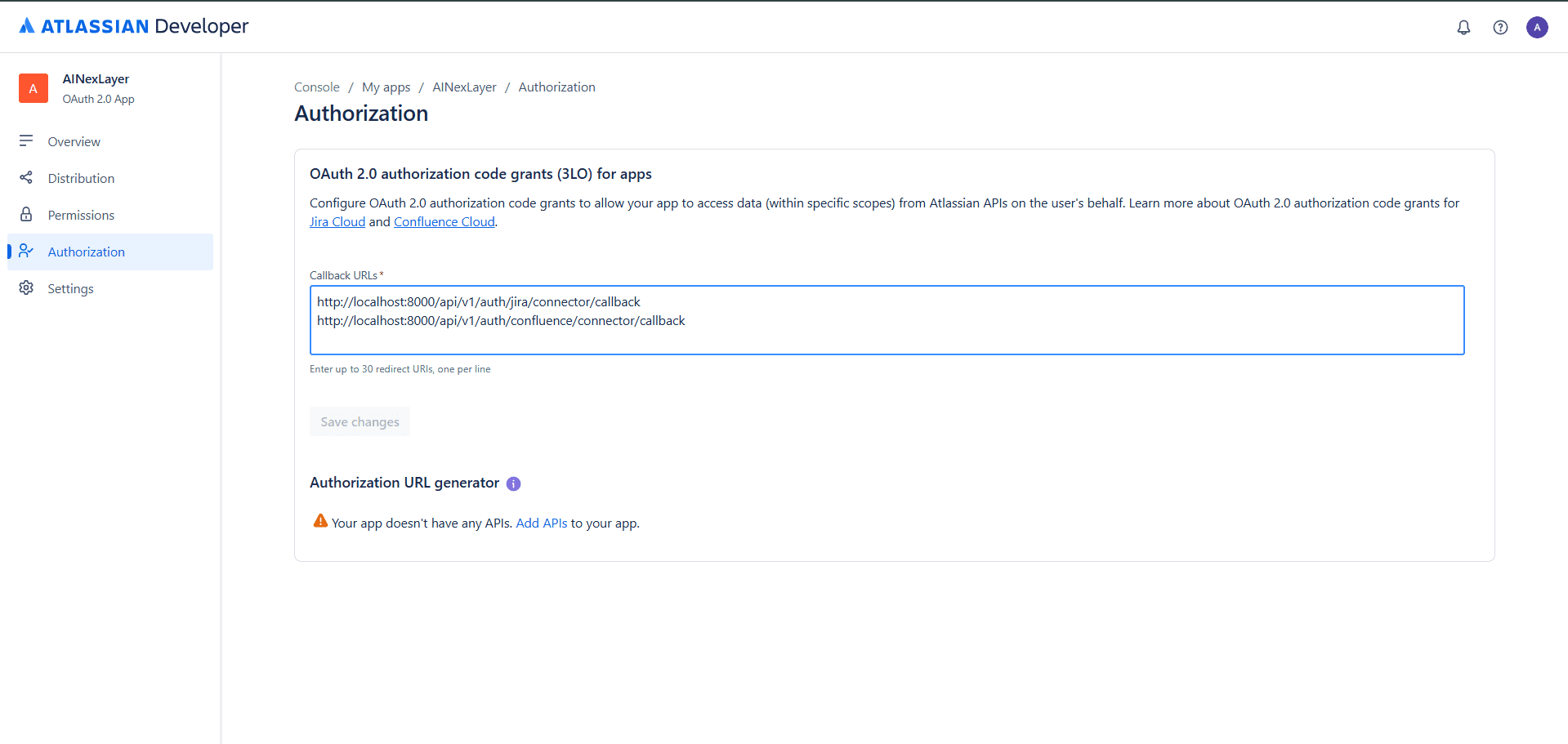
- In the left sidebar, click "Authorization"
- Under Callback URLs, enter the redirect URI:
http://localhost:8000/api/v1/auth/jira/connector/callback - Click "Save changes"
You can enter up to 10 redirect URIs, one per line.
Step 5: Configuring API Permissions
- In the left sidebar, click "Permissions"
- You'll see a list of available APIs including Jira API
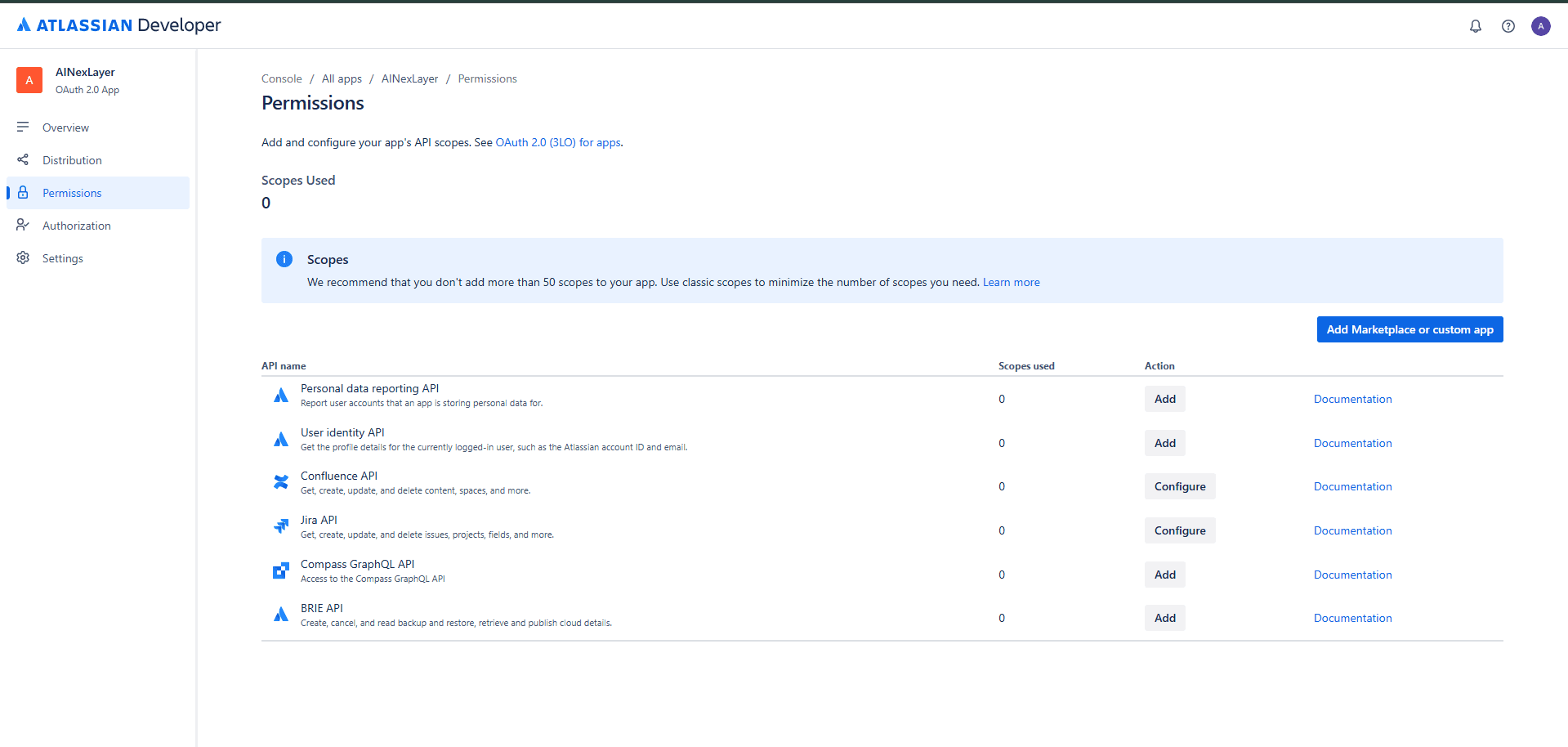
Step 6: Configuring Jira API Scopes
- Click "Configure" next to Jira API
- Select the "Classic scopes" tab
- Under Jira platform REST API, select the following scopes:
| Scope Name | Code | Description |
|---|---|---|
| View Jira issue data | read:jira-work | Read Jira project and issue data, search for issues, and objects associated with issues like attachments and worklogs |
| View user profiles | read:jira-user | View user information in Jira that the user has access to, including usernames, email addresses, and avatars |
| Create and manage issues | write:jira-work | Create, edit, and delete issues, comments, worklogs, and other Jira data the user has access to |
- Click "Save"
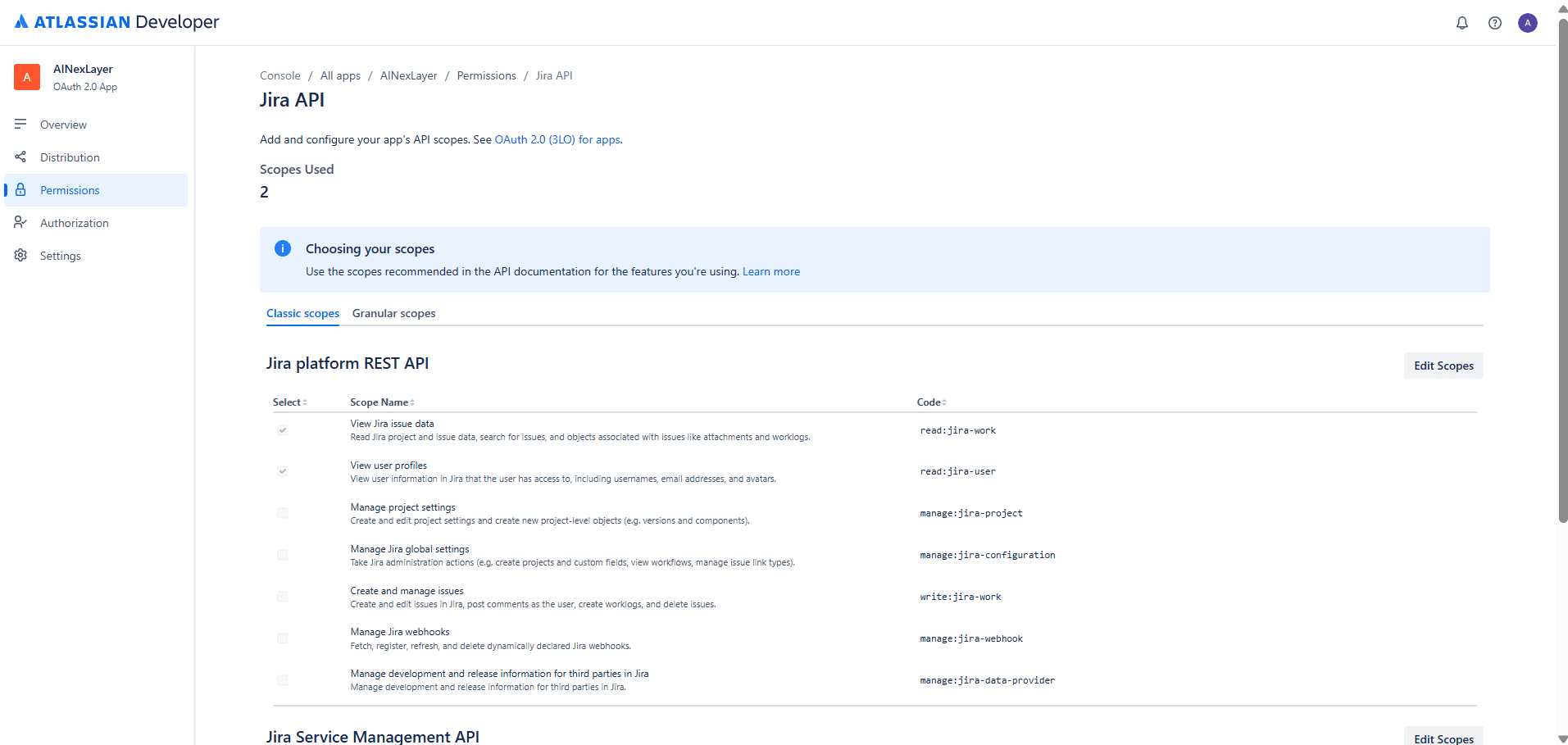
Step 7: Obtaining OAuth Credentials
- In the left sidebar, click "Settings"
- Copy your Client ID and Client Secret
Never share your client secret publicly.
Deploying AINexLayer with Jira Connector
Add the Atlassian credentials to your .env file (created during Docker installation):
ATLASSIAN_CLIENT_ID=your_atlassian_client_id
ATLASSIAN_CLIENT_SECRET=your_atlassian_client_secret
JIRA_REDIRECT_URI=http://localhost:8000/api/v1/auth/jira/connector/callback
Then restart the services:
docker compose up -d